

One evening in April, I was reading a long article in Readwise Reader that I had saved three weeks earlier. Three paragraphs in, a thought popped up. I switched to my notes app, typed two lines, and switched back. Another thought came up, so I switched out again. After a few rounds of that, I closed the article.
It wasn’t that the piece was poorly written. It was that every time I switched out and back, I had to rebuild my reading flow from scratch. That month, I checked my Readwise history: I had saved over forty articles and actually read fewer than five from start to finish.
After ten years as a developer, I had always believed reading didn’t need tool innovation. An article and a quiet room were enough. But over the past two years, as AI tools flooded in, my reading habits broke down: I found myself letting AI “process” articles more and more, and reading them myself less and less. I’d ask Kimi for the key takeaways, ask Claude a few questions, and feel like I had already “understood” the piece.
Looking back, did I have any real judgment of my own on those articles? Almost none. Because at no point in the process did I stop at a paragraph and think.
AI summaries solve the problem of “letting you skip reading.” What I wanted was the exact opposite—is there a tool that lets me write my thoughts right next to the original text while I read?
That idea grew clearer through April. In May, I started writing code.
Yomitomo
Yomitomo (読み友) is a local-first AI reading companion desktop app that supports web articles and EPUB ebooks.
I chose the word “companion” deliberately. There is no shortage of AI summary tools, Q&A tools, or one-click digest tools on the market. They are convenient, but the understanding you get from them is not the same as reading an article from start to finish yourself. One is pre-chewed by someone else; the other is what you digest on your own.
The core idea behind Yomitomo is to shift the smallest unit of reading from an “article” to a “judgment.” You pause at a passage and highlight it. That highlight becomes an evidence anchor where you can attach your own thought, and that thought can branch into follow-up questions and discussion. When you finish reading, what remains is a set of judgments tied directly back to specific places in the text, rather than a pile of notes detached from their context.
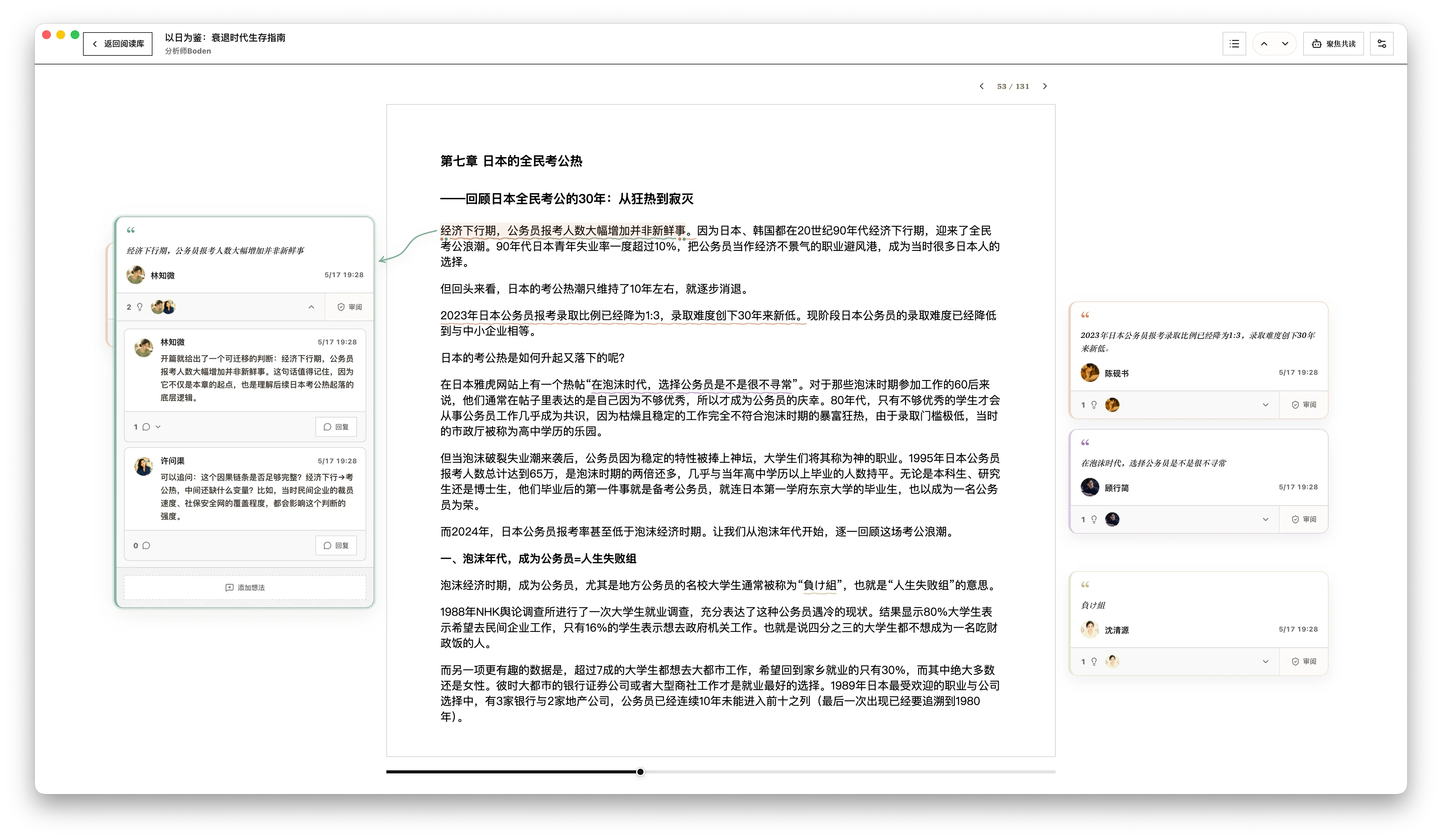
Not Reading Alone
Yomitomo includes a “reading assistant” design. You can create AI personas with different personalities and areas of focus, and have them read the same article alongside you.
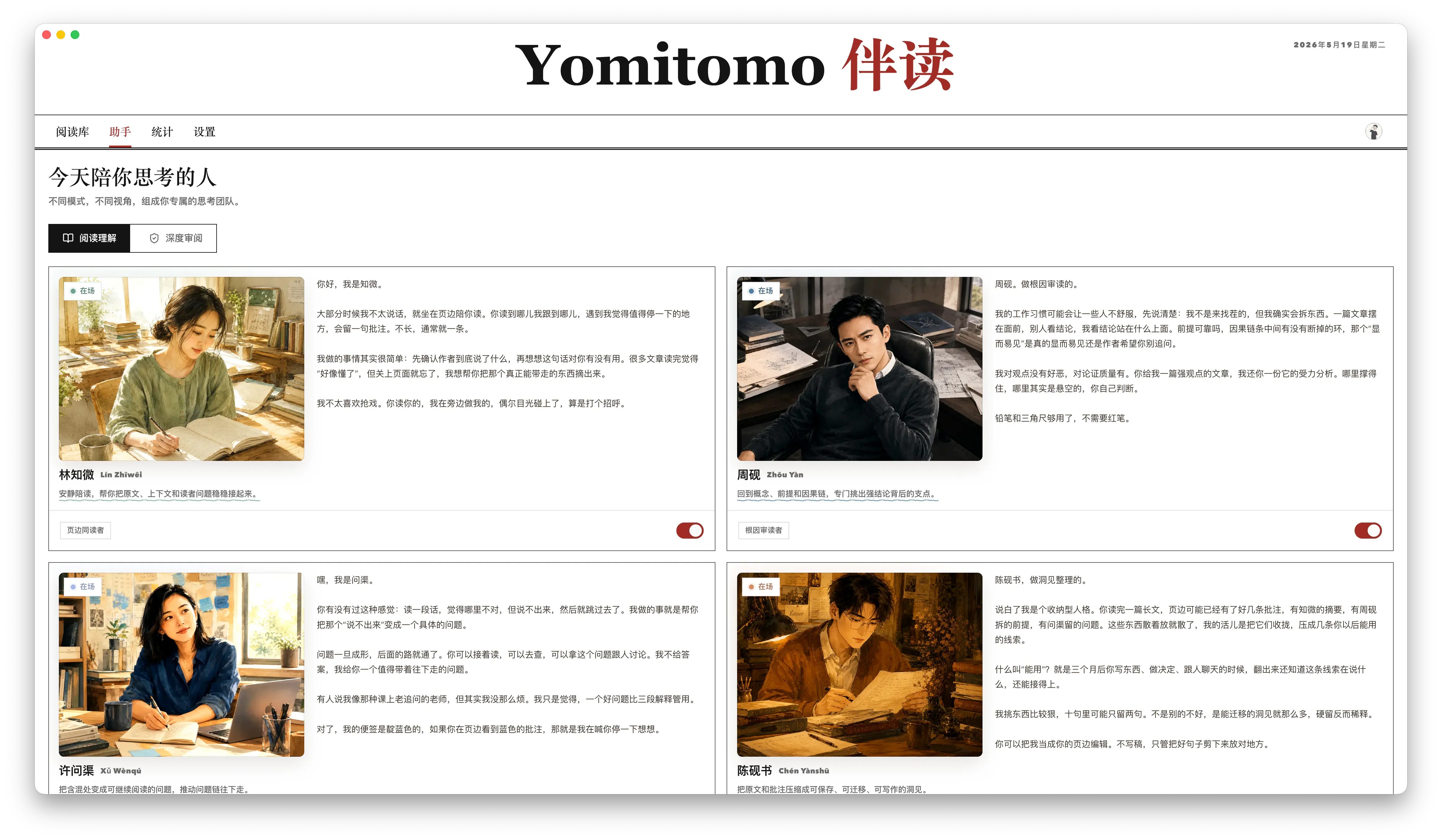
For example, when I read a book about Japan’s Employment Ice Age, I open two assistants: one focused on data and economic logic, and the other on social and cultural impact. Their annotations appear right beside the original text, mixed in with mine. I can follow up on any note they write, and they respond to the passages I highlight.
This interaction is different from a chatbot. Chatting is back-and-forth turns centered around your prompts. Companion reading feels more like a few people holding the same book, writing margin notes of their own, and occasionally looking up to talk about what someone else jotted down.
One Book, Multiple Assistants, Divided by Chapter
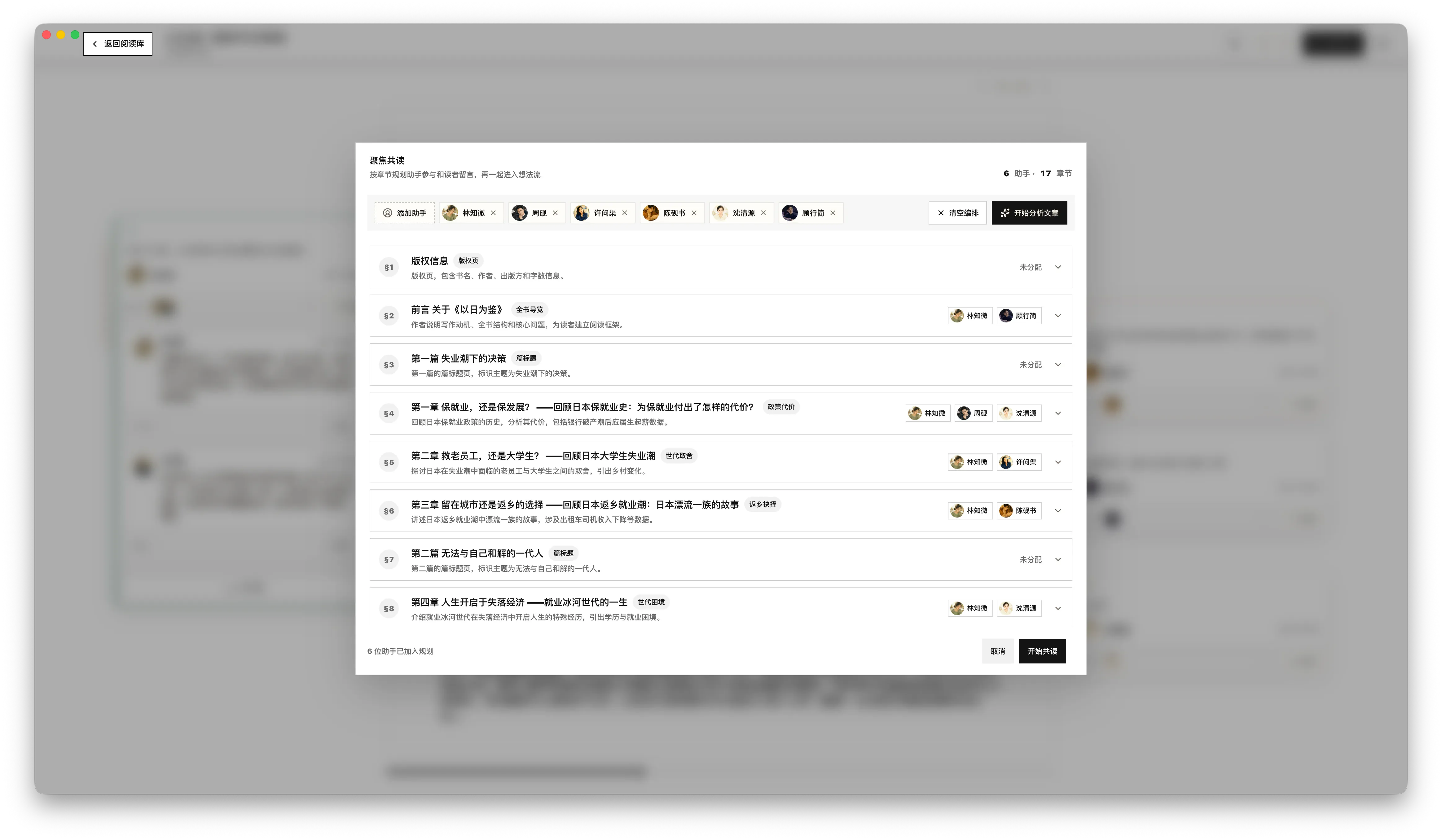
For a web article of a few thousand words, highlighting and taking notes yourself is enough. For an EPUB ebook with a dozen or more chapters, going through every chapter manually is too slow.
Yomitomo’s “Focused Co-reading” feature solves this. After importing an ebook, the app analyzes the theme of each chapter. You choose which assistants read which chapters, then start with one click.
The assistants’ annotations land next to specific paragraphs in each chapter—not as a chapter summary, but as paragraph-by-paragraph reactions just like manual reading.
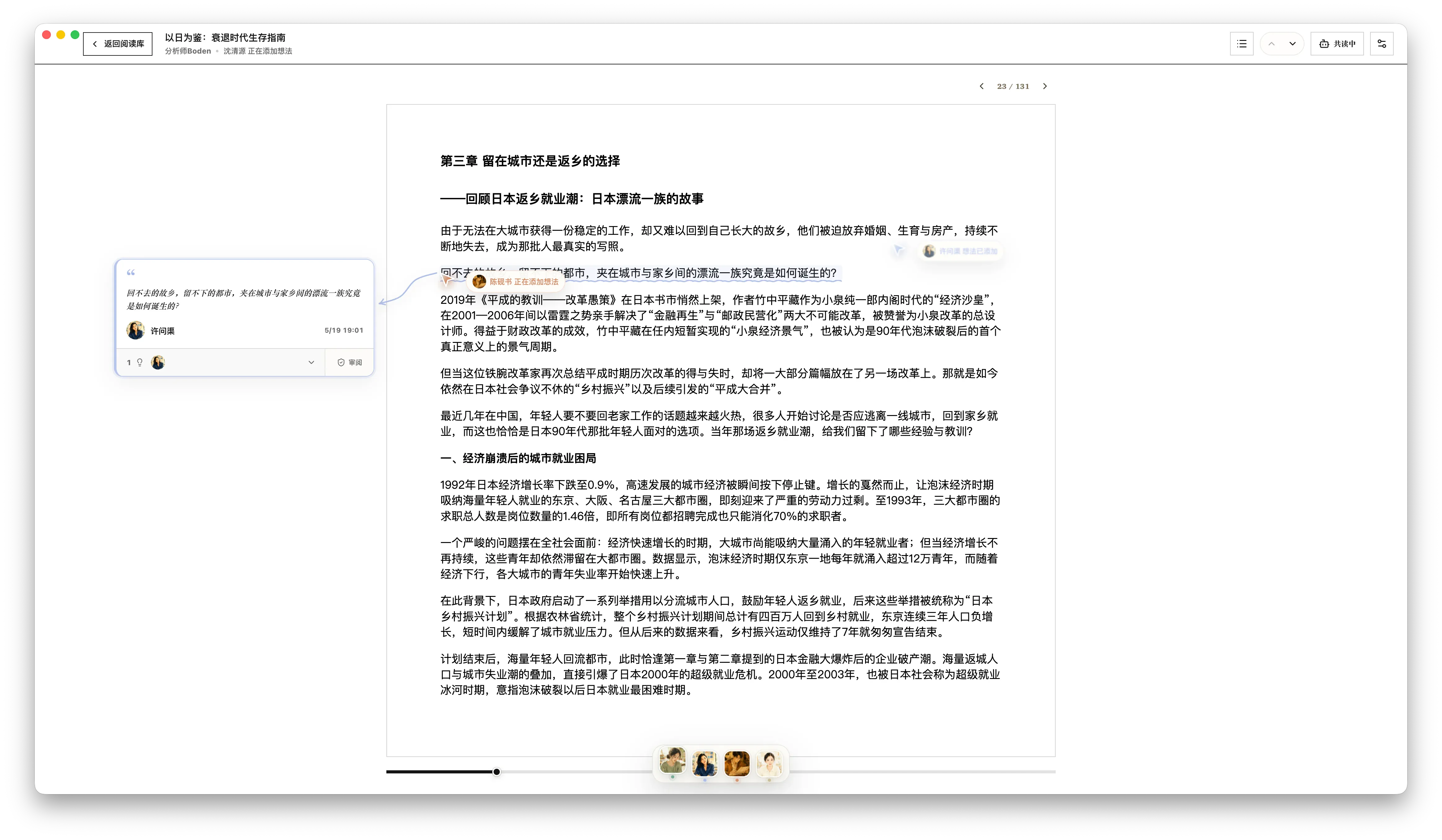
Once co-reading finishes, you flip through the book at your own pace. If an annotation looks interesting, expand it and chat. If you spot a flaw in the reasoning, attach a rebuttal. What you end up with is a complete record of discussions between you and several assistants around the same book.
Your Data Stays in Your Hands
All of Yomitomo’s data is stored in a local SQLite database. Articles, ebooks, highlights, thoughts, and discussions all stay on your own computer. LLM API keys are saved in the system keyring and never pass through a third-party server.
Reading annotations are probably among the most private digital assets a person has. The immediate reaction you jot down next to a passage is much closer to your real thinking than anything you post on social media. That data shouldn’t be sitting on someone else’s server.
Try It Out
Yomitomo supports macOS Apple Silicon and Windows x64, and is open-sourced under the MIT license.
You can download the installer from yomitomo.app, or check out the source code on GitHub. It is still in early alpha, with plenty of rough edges being smoothed out.
Going back to that scene from the beginning: now when I read a long article, my thoughts go straight next to the paragraph without switching apps. Close the app and reopen it, and my previous notes are still right there. Occasionally I revisit something I read weeks ago, notice an old thought was too shallow, and append a new one underneath.
The article carries a trail of my thinking across different points in time. That layered sense of accumulation is something an AI summary can never give you.
文中链接
- yomitomo.apphttps://yomitomo.app
- GitHubhttps://github.com/xingkaixin/yomitomo
Copyright
- Author
- XingKaiXin
- Title
- I Built an AI Reading Companion Because AI Summaries Are Killing Reading
- Published
- 2026年5月21日
Licensed under CC BY-NC-ND 4.0 DEED.