

That architecture diagram sat on my whiteboard for two weeks without me writing a single line of code.
It mapped out the much-hyped “software factory”: where tasks come from, how they queue, how agents pick up work, how failures retry, and who runs tests for acceptance. The starting point was small enough: hand Claude Code an issue, watch it read the context, edit the code, and open a PR. I already had that flow down. Following that thread, I wanted to wire the whole pipeline into a fully automated loop.
The more I drew, the more it looked like a complex distributed scheduling system—and then I completely stalled.
What unstuck me was realizing I’d fallen into a classic engineering trap: I kept building a complex scheduler for the pipeline, while nothing was entering at the intake.
You Don’t Need More Agents—You Need Issue Writers
Hand a well-defined issue to an agent today, and it can usually open a PR within minutes. The code implementation side stopped being the bottleneck a while ago.
What actually stalls the whole pipeline sits upstream: who is writing the issues in your backlog?
You are. Late at night after work, typing a few lines from memory into the board: “polish the pricing page,” “fix login timeout.” Toss an issue like that to an agent, and it can’t even find the scene of the error—all it can do is guess against the codebase.
A software factory really only does two things:
- Pre-triage: turning the unstructured world (error logs, user cancellations, session replays) into structured issues;
- Implementation: turning structured issues into PRs.
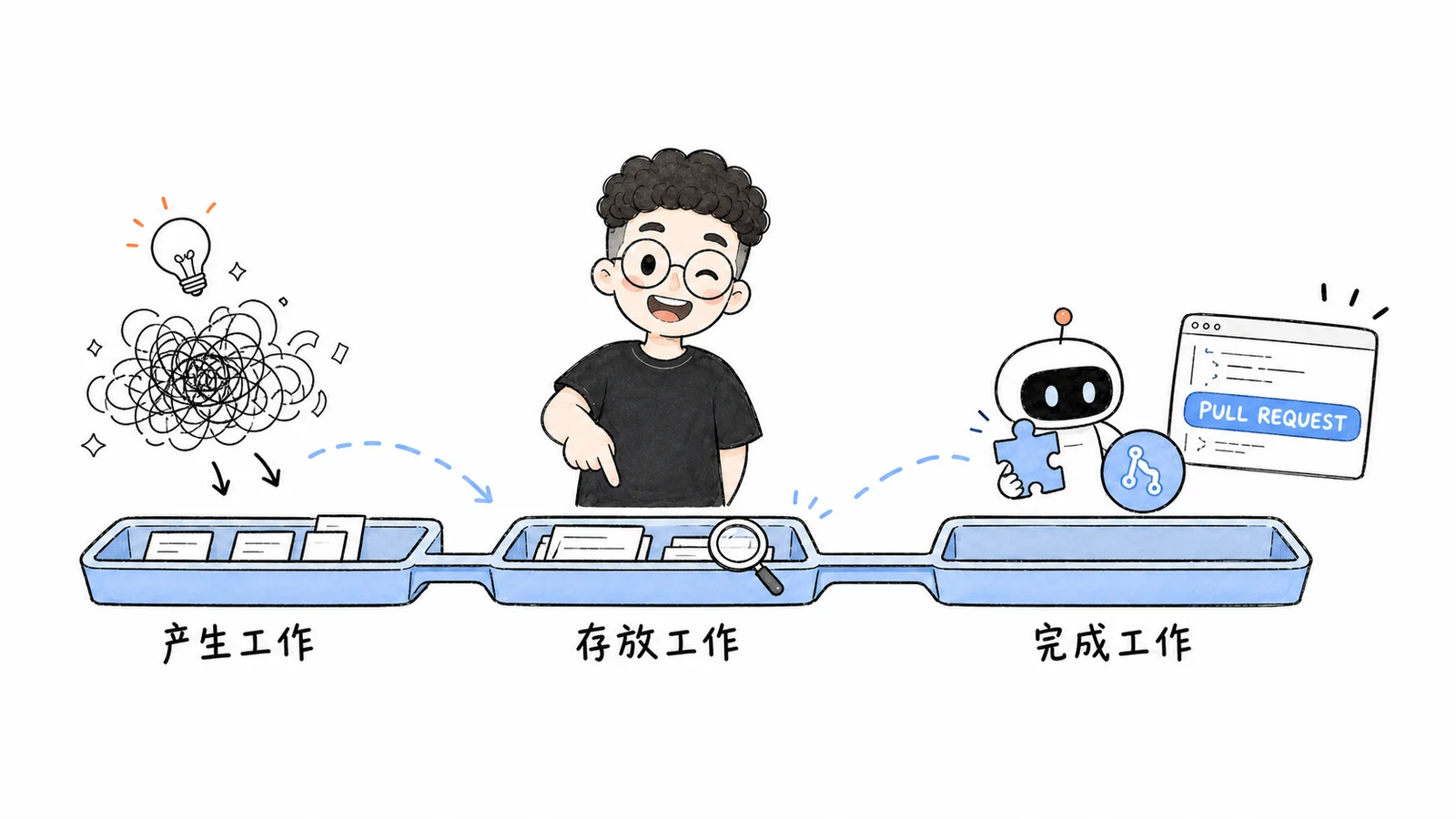
An engineer’s instinct is to charge straight at the second half and try to build a fully automated execution engine. The reality is simpler: as long as the upstream half still relies on you manually watching monitors, scrubbing through recordings, and writing issues by hand, your software factory is still a manual workshop.
The smartest move Pierson Marks made when building his software factory was slicing it right down the middle with an issue tracker (like Linear or GitHub Issues), cleanly separating the two halves.
If the Intake Is Empty, Build the Issue-Finding Half First
If your backlog regularly hits zero, don’t touch any automated coding logic yet. Build the input side first.
The core of the input side is having AI watch the data sources you never bother checking day-to-day, automatically producing high-quality issues that carry first-hand evidence:
- Log patrols: Run a scheduled scan over Sentry and gateway logs every night; when an uncaught exception shows up, open an issue directly with the stack trace and occurrence count attached.
- Session replay: Scan through user session recordings. Recordings clearly show which button users rage-clicked and which step made them get stuck and drop off. The recordings have always been there—no human can just watch hundreds of them a day.
- Churn analysis: Pull data on users who clicked cancel in the past 24 hours along with their pre-cancellation action trail, figure out whether they hit a bug, fell short on usage, or ran into friction in the core experience, and generate concrete improvement suggestions.
Issues produced this way naturally come with reproduction steps, error stack traces, and user context. “User clicked checkout 3 times on the pricing page with no response” is vastly more useful than “polish the pricing page,” because the agent immediately knows which interaction to inspect.
Even if you still write every line of code in the second half by hand, you’ve effectively hired a product manager who watches your data 24/7 and files clear specs.
The Execution Half: Delegating Authority One Label at a Time
Once high-quality issues flow steadily from upstream, the trigger chain on the implementation side is surprisingly short.
You don’t need an elaborate permissions system or a master pipeline console. The boundary between human and machine collaboration can collapse into a single action: adding a label.
- Default state: Issues opened by upstream patrols do not get the
autolabel by default. - Human review: A human skims the issue list, confirms the problem is real with a clear reproduction path, and drops the
autolabel on it. - Agent gets to work: A webhook catches the label change, spins up a remote agent, reads the issue, edits the code, runs browser verification, and opens a PR.
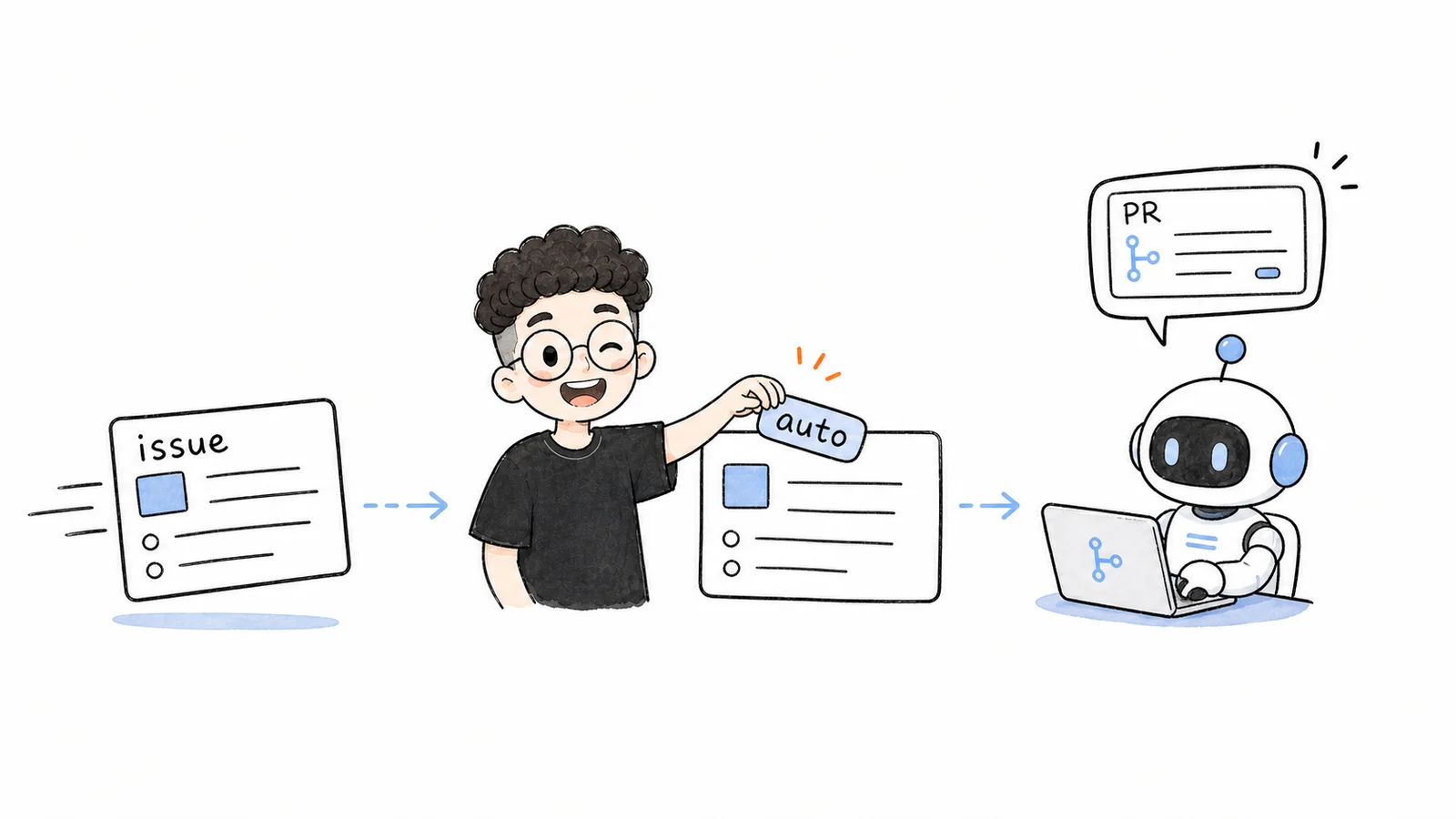
The elegance of this design lies in progressive delegation:
You don’t have to choose between “all manual” and “fully autonomous black box.” At the start, a human reviews and labels everything. Once a specific patrol (like clear-cut Sentry alerts or frontend formatting fixes) proves reliable, let it apply the auto label itself for a closed loop. The day it starts opening bad PRs, you simply revoke its permission to auto-label.
Delegating control doesn’t require a master switch for the whole pipeline—a single label is enough.
Half a Factory Is Already Worth Building
Looking back at that giant diagram on the whiteboard, the biggest mistake was assuming I had to ship the entire closed loop in one shot.
The real approach is to go step by step based on your bottleneck:
- If your backlog regularly runs dry, pick one data source today—error logs, support chats, or cancellation records—write a scheduled prompt to catch problems and file issues, and keep doing the implementation by hand;
- If your backlog is already overflowing, flip the order: set up a webhook first so issues tagged
autoautomatically trigger an agent to write code, and hold off on generating even more backlog upstream.
Cut the two halves apart with an issue tracker first, then automate whichever half of the factory is actually holding you back.
This space focuses on breaking down the practical details of one-person software factories and engineering automation. Next, I’ll keep documenting input-side automation, progressive delegation via labels, and how to build a solo pipeline with minimal system complexity. Follow along if that’s your kind of thing.
Copyright
- Author
- XingKaiXin
- Title
- Stuck Building a Software Factory: You Don't Need Agents, You Need Someone Filing Issues
- Published
- 2026年9月4日
Licensed under CC BY-NC-ND 4.0 DEED.