

Early in the morning on March 12, I pushed the last commit for the core of my project. It wasn’t huge—around 4,000 lines of code, written over 8 days starting from March 5.
In a typical AI coding post, this is the part where I would immediately shift into “continuous optimization” mode: refactoring, adding tests, writing docs, and shipping a few more features. After more than six months of coding with AI, that’s the posture almost everyone recommends: once a project is moving, don’t let it stop.
Instead, for the next 16 days, I didn’t change a single line.
To be completely honest, for the first week or so I simply didn’t have time for it—other work got in the way. By the middle of the second week, though, my schedule had opened up. That’s when I made a deliberate decision: keep not touching it.
Why? That’s what this post is about.
8 Days: Moving Fast, With Everything Planned
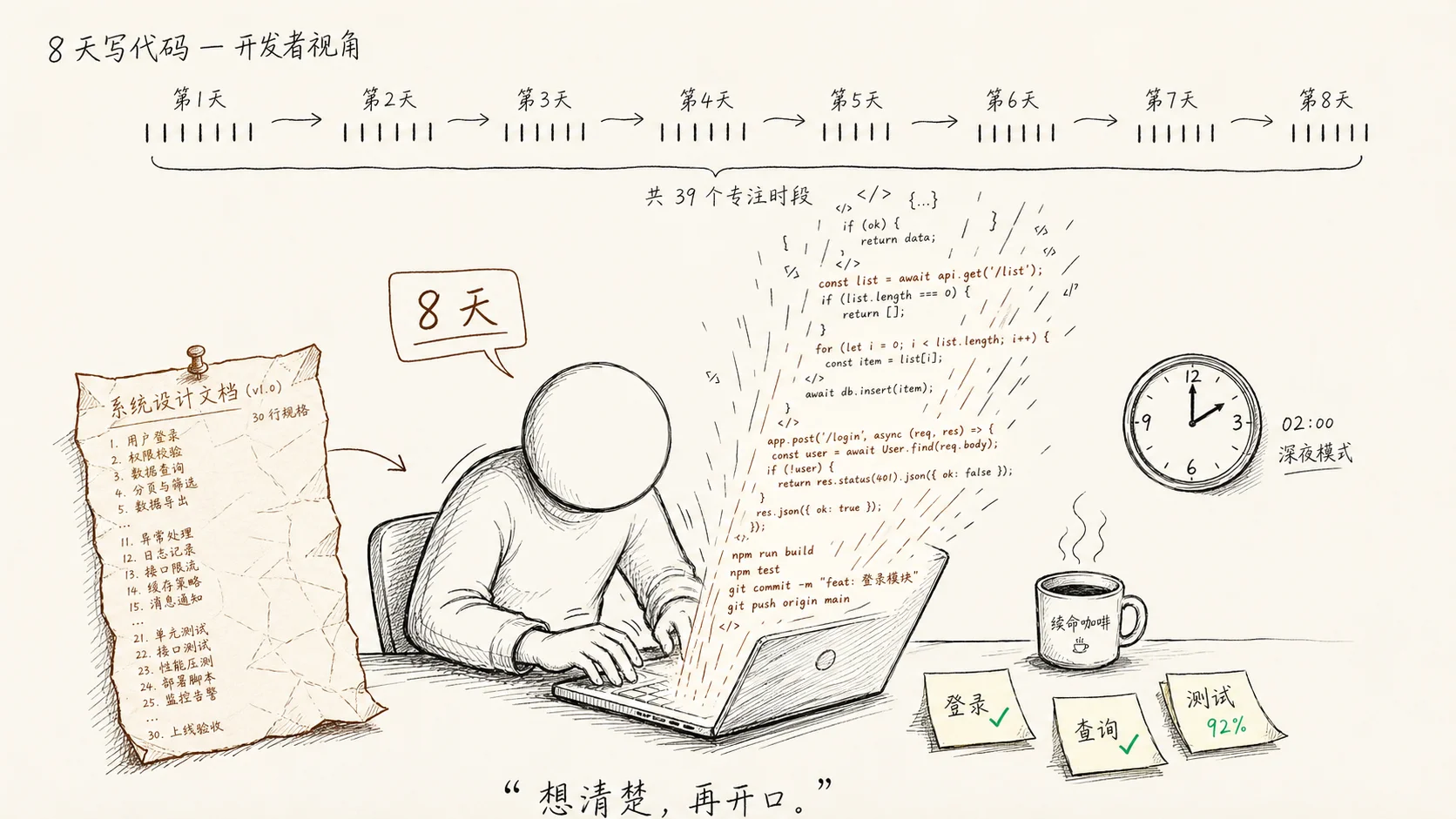
Let’s get the “fast” part straight first, so you don’t think I’m arguing against speed.
My very first prompt to Codex on March 5 wasn’t “build me a CLI.” I pasted in a 30-plus-line design spec covering the full command structure, config file schema, directory conventions, and even my tooling preferences (pyright, pytest, ruff, ty).
A Python CLI tool for data querying that handles login authentication and token management.
Basic CLI flow: users must log in first; if not logged in, all other commands prompt them to log in.
...
## Login & Account
ds status, ds login, ds whoami, ds logout
## Data Sources
## ds obj {objId/ObjName}
   - Conditional query --where {field} {op} {value}
   ...
That’s my first rule for working with AI: figure out what I want before I speak. And if I haven’t figured it out yet, at least make sure the AI knows what I don’t know.
Over the next 8 days, I ran 39 sessions with Codex and sent 121 user messages. Looking at tool calls, that averaged 280+ exec_command runs and 80+ patch edits per day. High intensity.
The key, though, was that most of those 39 sessions were continuous. Login today, data queries tomorrow; catch an edge case today, patch it tomorrow. Every step built directly on the one before it.
By the early hours of March 12, the core was done: login, three kinds of data queries (objects, topics, and metrics), caching, logging, a configuration system, 92% test coverage, and a PyPI release script.
I assumed the next month would be “steady polish.” It wasn’t.
16 Days: Interrupted, Then Choosing to Leave It Alone
Starting March 13, other work pulled me away. Anyone in engineering knows how this goes—you block off a week to focus on one thing, and by Monday night a P0 issue lands in your lap.
I stopped iterating on the tool that week.
But I kept using it.
And that’s the real point I want to share here: when you’re only a “user” instead of a “developer,” you look at code with completely different eyes.
Here are a few concrete examples of friction I hit while using the tool to query internal financial data over those 16 days:
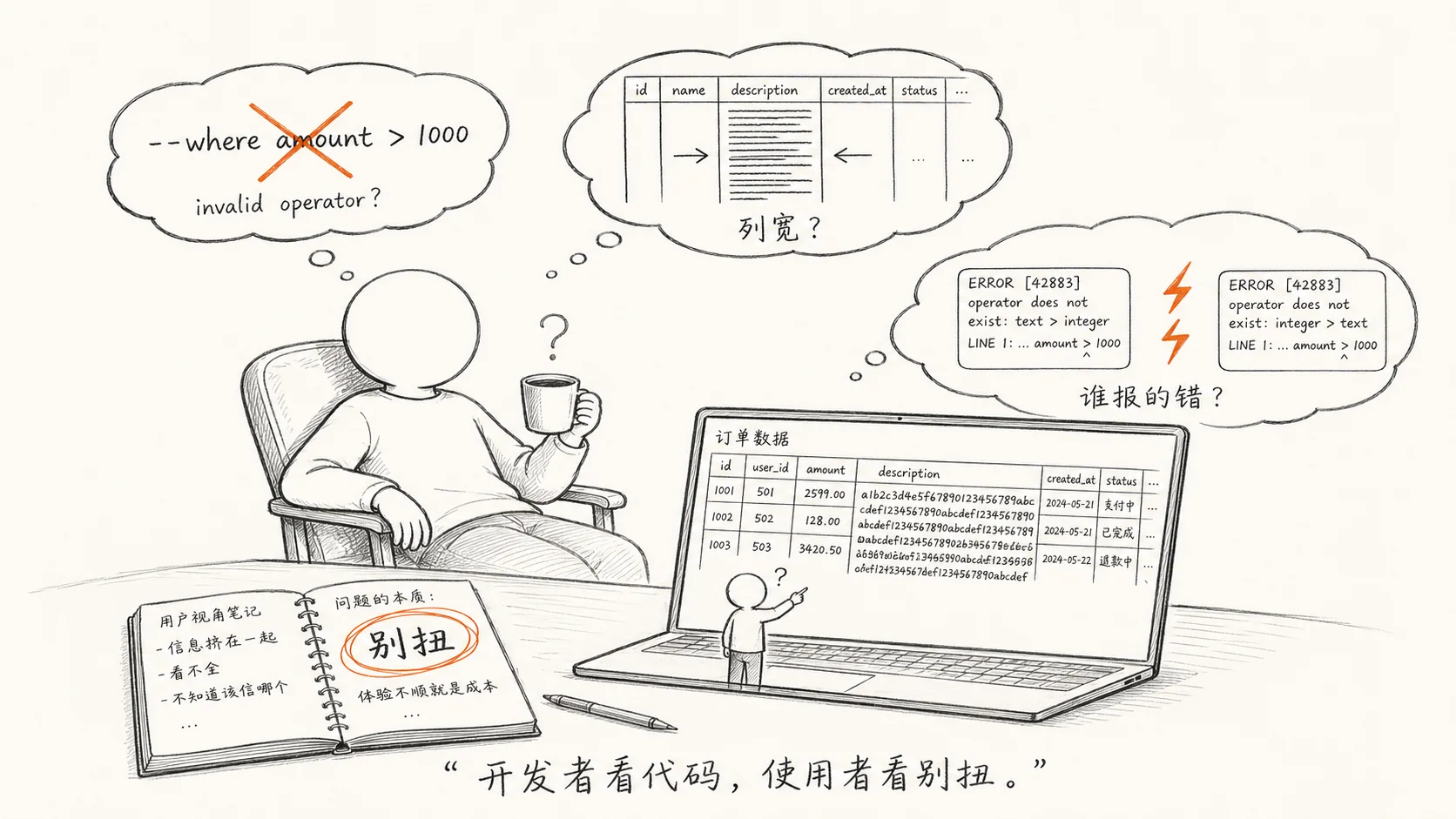
The first friction was the --where syntax. In my design, I specified --where {field} {op} {value}, like --where amount gt 1000. Yet six times out of ten when I actually used it, I typed --where amount > 1000 first and hit an error. It returned invalid operator, and it took me a second to remember I had to check the docs. I couldn’t even remember a convention I designed myself.
The second friction was table output. When reviewing test data, every column lined up neatly and looked great. Then I queried a real fund holdings table where portfolio_id was a 32-character hash string—and that single column pushed nav and yield right off the edge of my screen. My instinct was to shrink the terminal window, before realizing the column-width logic never accounted for extreme values.
The third friction was error-message layering. One night I was debugging a query timeout. The tool returned RequestError: upstream timeout, and it took me five minutes of reading logs to realize the error actually came from the cache layer, not the data source. Both modules logged nearly identical messages, so I had to bounce up and down the stack trace three or four times to find the real cause. In that moment it was obvious: the error message felt “good enough” when I wrote it, and was useless in production.
Every one of these issues was something I would never have caught during developer review. Developers read code asking, “Did I write this right?” Users use a tool asking, “Does this feel awkward?”
Around March 20, my other work finally wrapped up. I opened the project directory, ready to start building all the optimizations I had been meaning to add.
Sitting in front of the screen, I stopped.
I realized something: all the friction I had collected as a user was the highest-value input this project could get next. If I jumped straight back into “developer mode” and started writing new code, my developer perspective would overwrite my user perspective. I’d rationalize those rough edges away as “just how I designed it,” and I’d never see them again.
So I made a counterintuitive call: keep not touching it. Give myself a few more days of just using it, letting those rough edges settle into a concrete list of problems instead of vague annoyance.
For the next week, whenever I ran into something clunky while using the tool, I made a mental note. Sometimes I jotted it down in a notebook. Most of the time, though, I just left it alone—because I trust that the problems that actually matter will keep showing up. If it happens repeatedly, I’ll remember it. If it only happens once, it probably wasn’t that important anyway.
1 Day: Back on the Scene, With Fresh Eyes
At 7:49 AM on March 28, I opened the project directory again.
It had been 15 days and 14 hours since I last wrote a line of code in it.
You may have seen what I did that day in my previous post—using the exact same prompt to have Codex run 10 rounds of code review, from 7:49 AM to 10:18 AM, about 2.5 hours total.
What I didn’t mention in that post is this: the only reason I could move so efficiently in those 2.5 hours was the 16 days before them.
Specifically, 16 days in the user seat gave me two things:
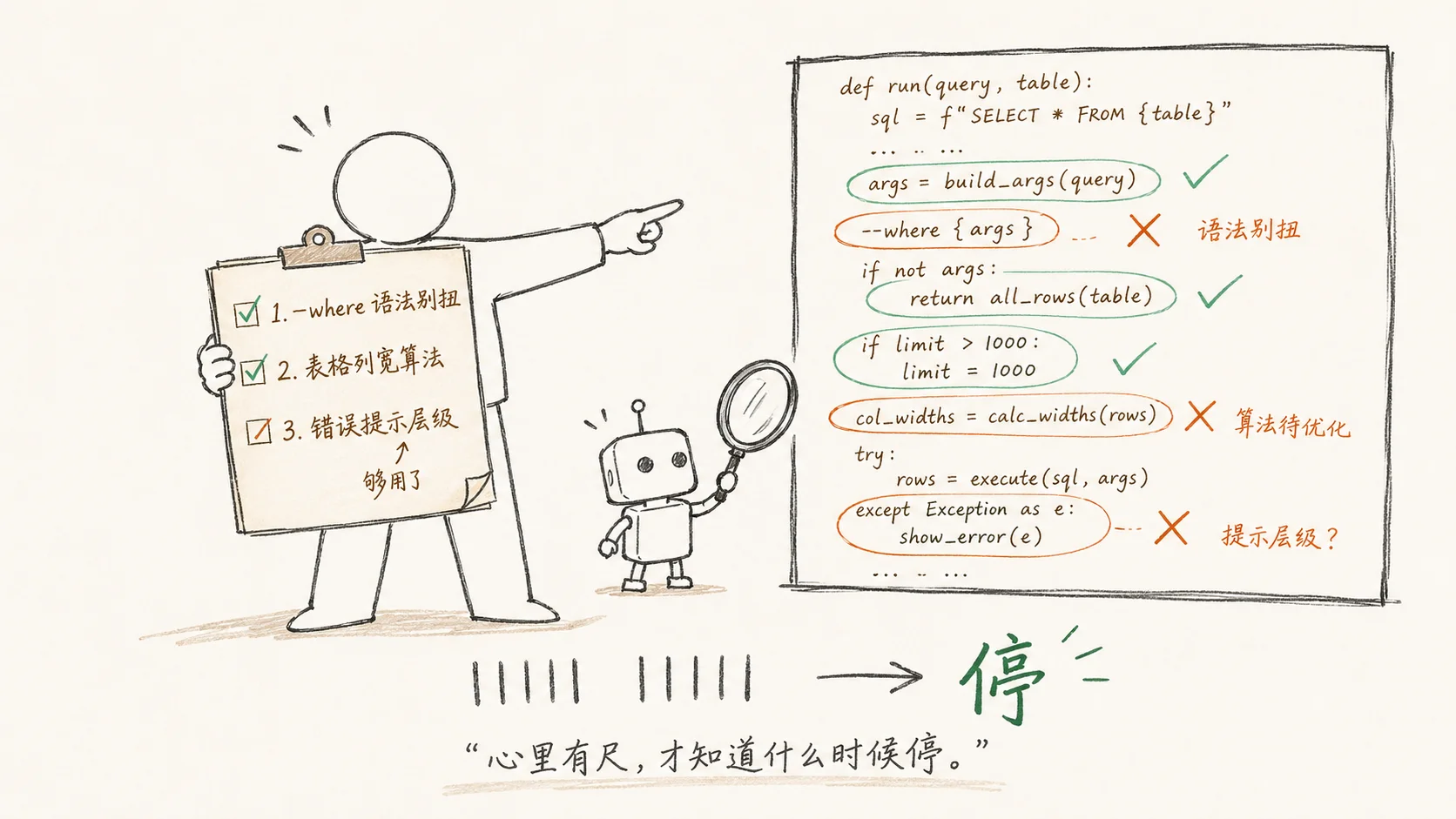
First, I had a very concrete list of “what feels wrong.” When Codex pointed out in round 3 that the logging layer had mixed responsibilities, I knew immediately whether to fix it—because that messy log format had misled me twice on where an error came from. It wasn’t an abstract code smell; it was a real pain point I had already paid for as a user.
Second, and more importantly, I knew when to stop. AI can always find one more issue in your code—I’ll write about that in a later post. Without an internal standard for “what is good enough for the user,” AI will drag you into endless refactoring. I was able to stop cleanly at round 10 that day because I knew: none of the remaining issues were things that would actually trip me up as a user.
Without that 16-day pause, those 2.5 hours would have easily stretched to 5—and the result would probably have been worse, because I would have spent them fixing “code-perspective” problems that never bothered me in practice.
How I Think About the “Rhythm” of AI Coding Now
The easiest trap in AI coding isn’t that AI writes bad code—it’s that AI lets you write code at any moment.
In the past, a human engineer’s rhythm was enforced from the outside: you had to look up docs, wait on a teammate’s review, wait for slow test suites, wait for CI, wait for deploys. All that “waiting” looked like inefficiency, but hiding inside it was an invisible productivity mechanism: time away from the developer perspective.
AI eliminated all of that waiting. Docs are an instant question away, reviews happen on demand, tests finish in seconds. You can code from 9 AM to 9 PM without stepping out of the developer mindset for a single second.
That’s a new kind of danger. It keeps you permanently too close to your own code.
My workaround this time was replacing old “passive waiting” with “deliberate pauses.” Honestly, I’m still figuring out the exact shape of it as I go, but here is what worked:
1. Once the core is done, force yourself into the “user” role. Stop opening the repo in an IDE; only invoke it from the CLI. If you’re building a different kind of project, the equivalent is: stop looking at the code, and only use the product.
2. Don’t immediately translate “user friction” into “coding tasks.” Let it sit at the level of “this feels annoying to use” for a while. Use it more, and let the problems that truly matter surface repeatedly.
3. The moment you reopen the IDE, write down one sentence naming the “top three things that annoyed me most as a user.” That sentence becomes your user-perspective yardstick for every refactor that follows. Without it, AI will flood you with endless code-perspective suggestions, and you’ll drown in them.
Does this approach work for everyone? I don’t know. But it worked for this project. The 8 + 16 + 1 rhythm felt unlike any project I had shipped before, and the outcome was better than I expected.
Closing
During those 16 days, there were a few moments when I nearly caved and opened the IDE. The temptation of AI coding is very real—it makes you feel like “it’s just one quick prompt to fix,” so every tiny annoyance makes you want to jump right in.
What I’ve come to realize, though, is that resisting that urge to “fix it right now” is harder—and more valuable—than actually making the fix.
8 days writing code, 16 days using code, 1 day reviewing code. It isn’t the fastest pace AI lets me write at, but it might be the posture that lets me write the right thing.
Will I use this exact rhythm on my next project? Not necessarily. Every project has its own scope and pressure. What AI coding has given me, though, is an option I never had before: I now get to decide when I show up, and when I step back.
That matters far more than “AI lets me write code faster.”
This is the second post about this project. The first one covered the details of the 10 rounds of code review on March 28.
Copyright
- Author
- XingKaiXin
- Title
- 8 Days + 16 Days + 1 Day: I Don't Plan to Turn AI Coding Into a Marathon
- Published
- 2026年4月30日
Licensed under CC BY-NC-ND 4.0 DEED.