

Last Wednesday afternoon, I asked Claude Code to refactor a data export module.
After I sent the prompt, the terminal started running. The cursor blinked, logs scrolled by, and the agent jumped from file to file. I stared at the screen for about forty seconds, then subconsciously opened WeChat.
I replied to two messages and scrolled through a few Moments posts. When I switched back, the agent had already finished. A wall of output sat in the terminal, waiting for my review.
Looking at that output, I realized I had to get back into the zone—what did I ask it to do again? Which files changed? What did they look like before? All of that was crystal clear when I sent the prompt, but three minutes on WeChat had flushed my context. I spent another five minutes re-reading the diff just to pick up my train of thought.
Three minutes of waiting, plus five minutes of recovery. Eight minutes gone, just like that.
That day I started thinking seriously about one question: in an agentic workflow, what is “waiting” really? Is it the same thing as waiting when we used to write code by hand?
The Old Tempo
Writing code used to have a natural rhythm.
You think for a moment, type a few lines, run it, check the output, and think again. The gap between actions was short—a few seconds to half a minute. Your attention stayed on the code, keeping a hot connection between your fingers and your brain. There is a name for that state: flow. Getting into flow requires fast feedback, cohesive tasks, and no big blank stretches in between.
Hand-coding naturally met those conditions. Your IDE responded in milliseconds, offering completions as you typed, and hitting Run told you within seconds whether something worked. That tight, rapid feedback loop let you stay focused for dozens of minutes or even hours at a time.
That tempo also had a hidden upside: your speed was bounded by how fast you could think.
It sounds like a limitation. But precisely because you had to think through every line you wrote, your understanding and your output stayed in sync. You wouldn’t write code you didn’t understand, because every line started as an idea in your head before your hands typed it. When you finished, you had complete ownership over that code—you knew where it might break, where you had made compromises, and what needed revisiting later.
Agentic workflows completely broke that tempo.
The New Tempo
You send a prompt, and the agent starts running.
It might take thirty seconds, or it might take ten minutes. You don’t know when it will finish, what decisions it will make along the way, or which files it will end up touching. All you can do is wait.
This kind of waiting feels completely different from “waiting for a build” or “waiting for tests.” With builds and tests, you know what you are waiting for—a deterministic result. When an agent runs, you are waiting for an output whose shape you don’t fully know yourself. It has autonomy, and it makes judgment calls wherever you didn’t specify every detail.
That uncertainty makes waiting anxious. You feel the urge to open the terminal and watch what it’s doing. You look, can’t quite follow the flood of fast-scrolling logs, and walk away feeling like you just wasted time.
So you face a choice: how do you spend this wait time?
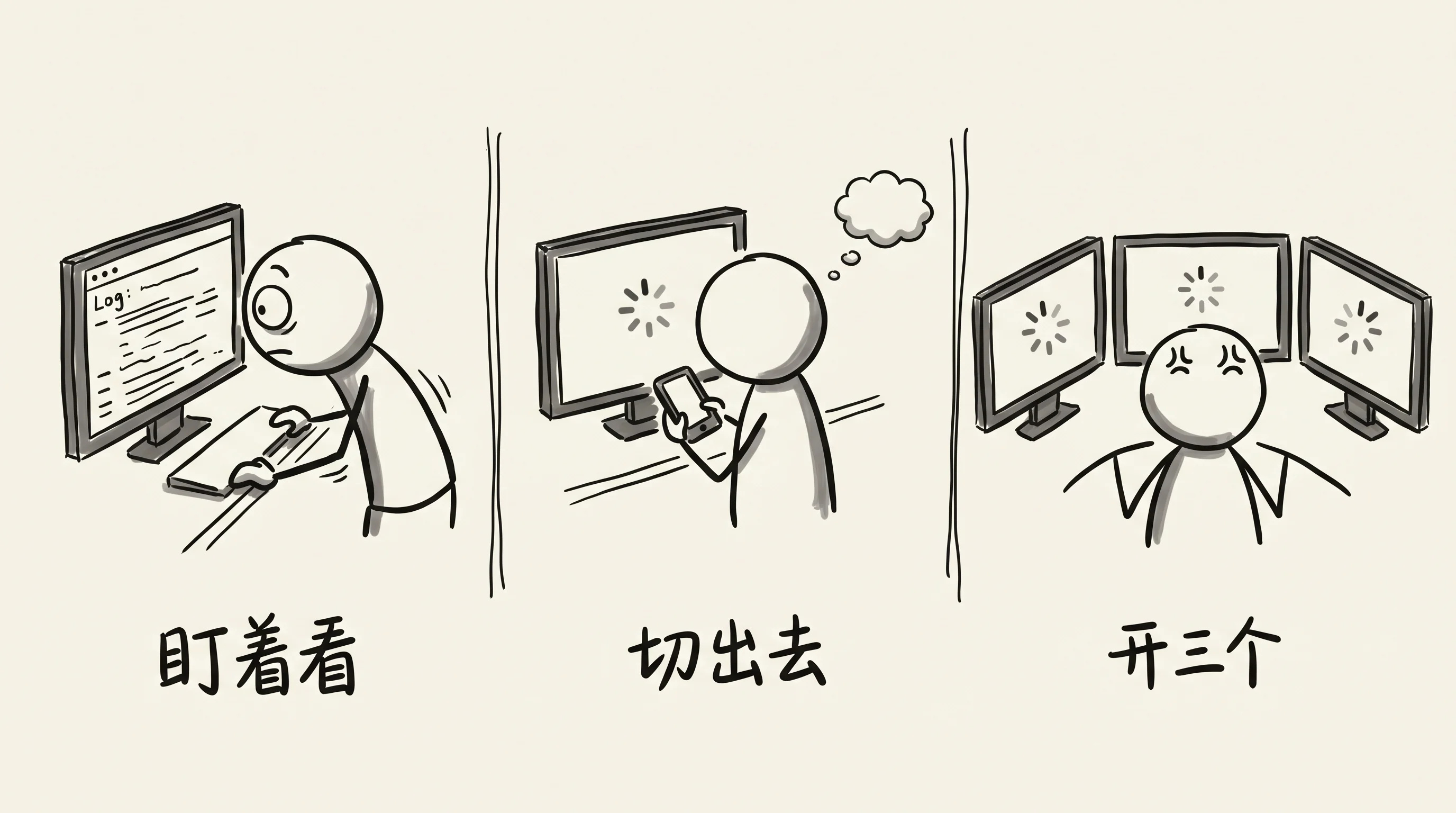
From observing myself and talking to friends, I see three typical reactions.
Some people stare at the terminal the entire time. They follow every line of output, even though most of it doesn’t tell them much. The upside is you don’t lose context—when the agent finishes, you know what it went through, which makes review smoother. The cost is anxiety, and all your time gets sunk into watching.
Most people switch away to do something else. While the agent runs, you reply to messages, read docs, or clear your inbox. No point wasting idle time, right? The cost is the scene I described at the start: when you switch back, you have to reload your context. And human context switching is far more expensive than you think.
Then there’s what looks like the smartest approach: spin up two or three agents at once and let them work on different modules in parallel. Maximum efficiency—at least on the surface.
The Illusion of Parallelism
Running multiple agents in parallel is worth unpacking.
“I have three agents running at the same time” sounds great. One is refactoring the backend, one is building a frontend component, and one is fixing tests. Three tracks moving forward at once, peak productivity.
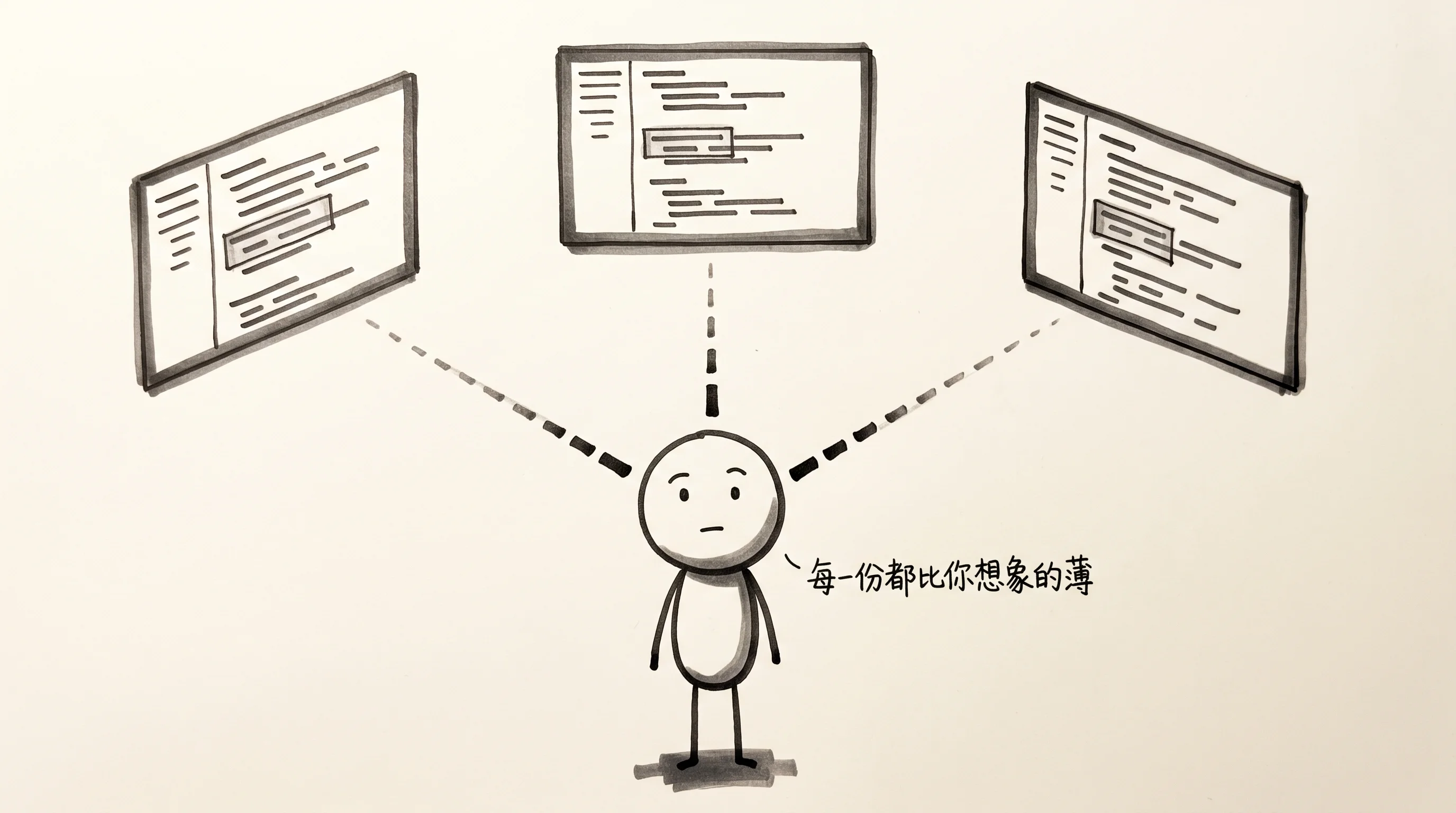
Except you forgot one thing: agents can run in parallel, your attention cannot.
Once all three agents finish, you are looking at three separate outputs to review. Each one requires you to understand what changed, why it changed that way, and whether anything is wrong. If you review each one carefully, the total time isn’t much less than doing them sequentially—the review bottleneck is always your brain, and faster agents can’t help with that. If you just skim each one for the sake of “speed,” you are trading review depth for parallel breadth.
Once, I spun up two agents at the same time: one to update database query logic, and another to refactor the API layer. Both finished. I reviewed the database changes first, spent fifteen minutes tweaking a few spots, and merged it. Then I moved on to the API changes—only to realize its new interface signatures were incompatible with the database version I had just merged. Both agents made reasonable decisions inside their own context, but they never talked to each other.
That kind of conflict doesn’t happen in a sequential workflow—because you finish one task before starting the next, and the second one naturally builds on the first. Parallelism breaks that natural order, turning a zero-cost sequence into conflicts you have to hunt down and fix by hand.
The ceiling on parallelism isn’t agent compute; it’s your attention bandwidth. Run three agents, and your attention gets sliced into three pieces. Each slice is thinner than you think.
What Is Actually Valuable During Wait Time
So how should you actually use wait time?
Over time, I settled into a habit that works for me: treat wait time as problem-review time.
While the agent is running, your hands are free, but your mind doesn’t have to check out. This window has a unique value: you just thought through the task, wrote the prompt, and loaded all the relevant context into your head—all of that information is still warm right now.
You can put that “warmth” to work in a few ways. For one, re-read the prompt you just gave the agent and check if you missed anything. When you send a prompt, you are usually eager to get started, which is when edge cases slip through. Once the agent is running, you actually get a cooling-off window. More than once, I have caught myself thinking during that window, “Wait, I forgot to tell it to handle empty lists,” and had the follow-up prompt ready before the agent even finished.
You can also use the time to skim related docs or code in the area the agent is about to touch. That way, when it finishes, you review the diff much faster—because you already have an expectation of what “right” looks like. Reviewing with clear expectations versus reviewing blind makes a huge difference in quality.
Or think through the next step: once this task is done, what comes after? What needs testing? Are there any dependencies? If you map that out now, you can move straight into the next step as soon as the agent finishes, without spending extra time planning.
Every one of these habits taps into the richest resource you have in that moment—your active memory of the current task. That memory has a shelf life. The moment you switch to something else, it starts decaying. Three minutes on your phone, and it is mostly gone.
The most valuable asset during wait time is the warm context still in your head.

Pacing Is a New Skill
The rhythm of coding used to come naturally. Your typing speed was your metronome—you produced as fast as you could type and think.
Agentic workflows scatter that beat. Your job turns into a series of judgment calls: should this task run sequentially or in parallel? During the wait, should you watch the output or plan the next move? When an agent goes off track, do you let it finish or kill it early and restart?
None of these calls have a textbook answer. They depend on the task, how well you know the codebase, and how much mental energy you have left. Together, though, they form a new kind of engineering skill: pacing.
AI doesn’t care about your pace; it just runs. If you don’t intentionally set your own rhythm, it will set one for you—and its default rhythm is always “as fast as possible.”
Next time an agent is running, try not switching away. Just sit there and think about what you asked it to do, and whether there’s anything you forgot to mention. Those three minutes might be the most valuable three minutes of your day.
Copyright
- Author
- XingKaiXin
- Title
- In Agentic Workflows, "Waiting" Has Been Revalued
- Published
- 2026年4月17日
Licensed under CC BY-NC-ND 4.0 DEED.