

Early on, camelAI gave every user a virtual machine. The agent had a full Linux environment, persistent disk, and Bash—it could install dependencies, run commands, and deploy apps, with far more permissions than most chatbots.
Later, they tore down that architecture. They moved the agent into a Cloudflare Durable Object, put files into SQLite and R2, and removed Bash so the agent could only call predefined methods. According to the team’s retrospective, costs dropped, credentials became easier to manage, and smaller models worked better than before.
Around the same time I read about that migration, I saw Builder.io demo an agent-first app: clicking “Complete” on a to-do page and telling the agent “mark this to-do as complete” go through the exact same action.
These two projects took different approaches, yet they point to the same truth: when adding an agent to an app, the real work is in the business actions, not the interface.
A Chatbox Is Just Another Bypass
When adding an agent to an existing app, the easiest move is to drop a chatbox in the bottom-right corner and wire up a few APIs for the model. The UI keeps using its existing frontend events and backend endpoints, while the agent uses tool calls—and if an endpoint doesn’t exist, it opens a browser to click around or takes a detour through Bash.
The demo usually works. The problems only surface when business rules change.
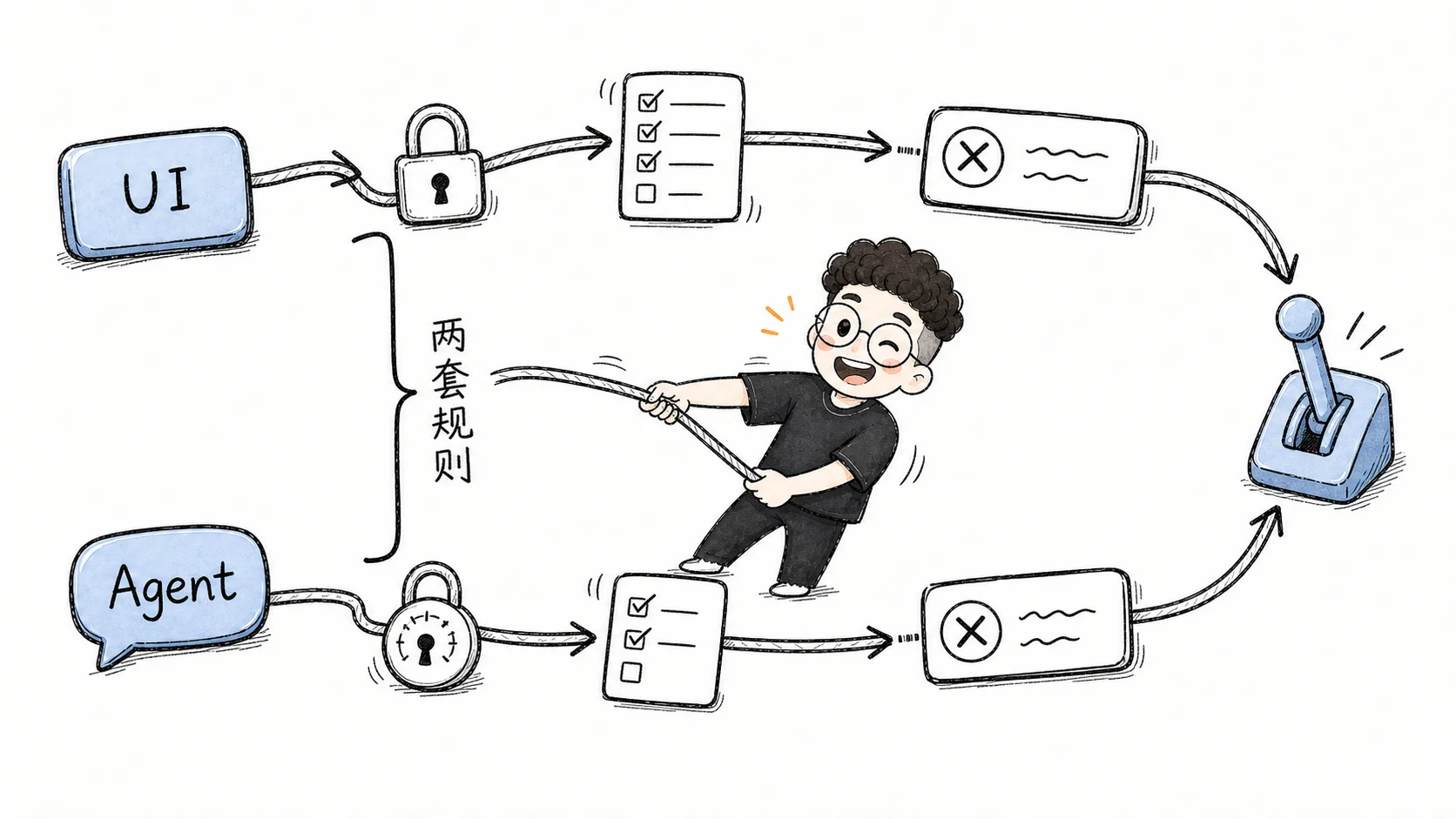
Take “close ticket.” The UI checks whether the ticket still has unfinished tasks, while the agent’s tool only updates the status field. The UI checks permissions based on the current user, while the agent bypasses them with a service account. On the web, a failure tells you which field is missing, while the tool just returns request failed.
Once the same action has two implementations, you have two sets of permissions, validations, and error handling. Add Slack, voice, or someone else’s agent, and every new entry point adds another bypass.
If an agent has to mimic a user clicking through pages or piece together a business operation in Bash, it means the app hasn’t clearly articulated what it can do. A chatbox just papers over that gap.
What Should Actually Be Shared Are Business Actions
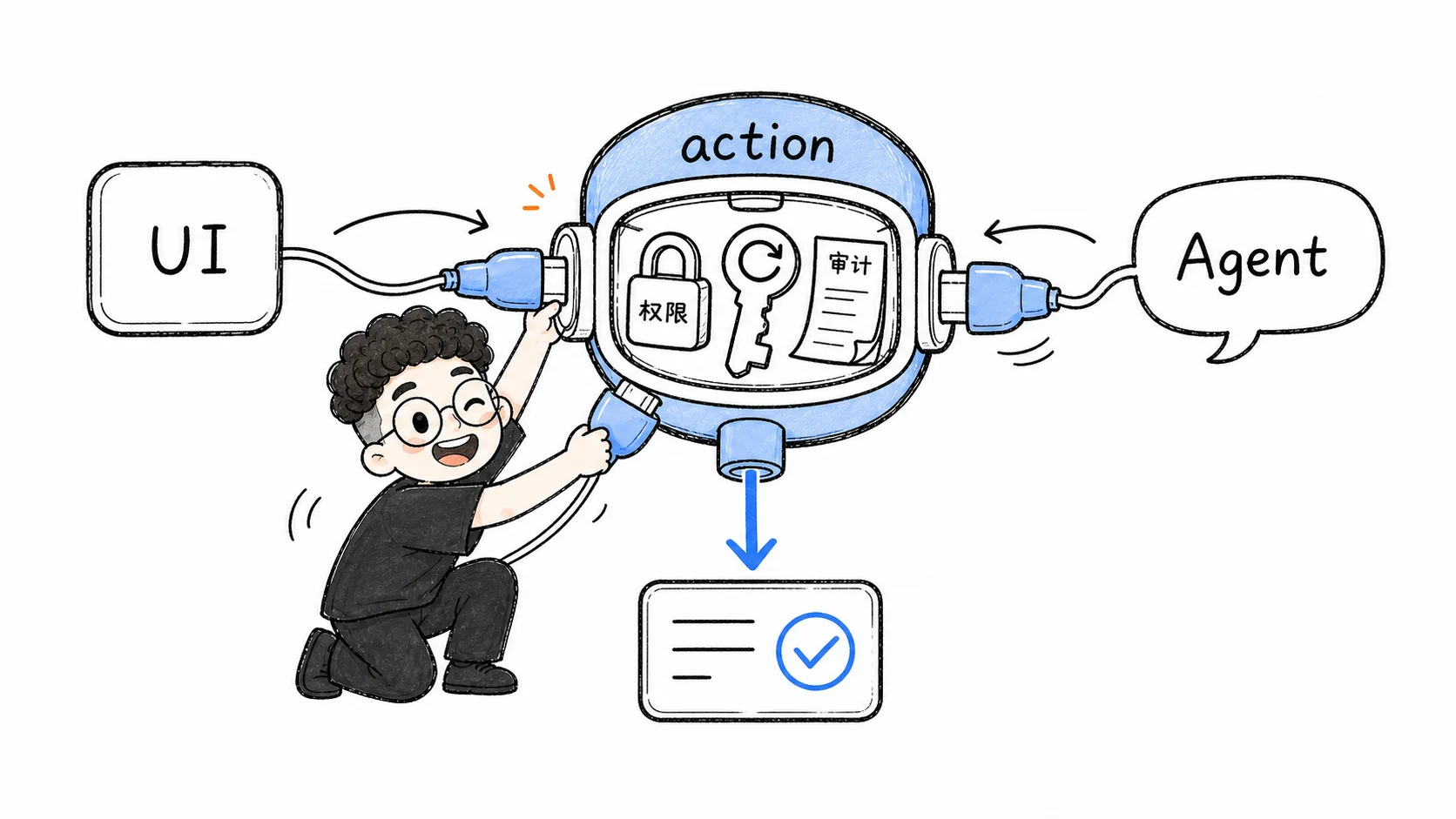
In Builder.io’s Agent-Native example, the UI, agent, HTTP, MCP, and CLI are all built on top of actions. A button on the page and a tool call are just different entry points; there is only one implementation that actually executes “create to-do” or “complete task.”
That goes one step further than “putting a chatbox on every page,” and leaves one less mess to clean up later.
Take “refund order.” The action only accepts an order ID and a reason, while the caller’s identity is injected from a trusted invocation context. Internally, it checks the order status, refund permissions, and idempotency key, then writes the refund record and audit log. The UI button collects input, and the agent extracts parameters from conversation—neither side gets to write its own refund rules.
Once you do this, switching entry points doesn’t change the business outcome. A button click, a voice command, and an MCP call get the same success result and hit the same failure conditions.
You don’t need to rewrite the whole app into some new framework. What’s actually worth extracting are the actions that mutate business state. How a modal opens, how a list filters, or what shows on hover still belongs to the UI. Creating an order, closing a ticket, or issuing a refund are the capabilities that humans and agents need to share.
The smallest unit of an agent-first app isn’t a chatbox—it’s a business action that different callers can execute safely.
Why Removing Bash Made the Agent Work Better
camelAI’s migration pushed this conclusion even further. Originally, they gave the agent free rein with Bash inside a VM, but keeping a persistent machine running for every user meant heavy compute and disk costs. Credentials were even harder: to call external services, the agent either needed direct access to keys or had to go through a proxy layer that grew harder to maintain.
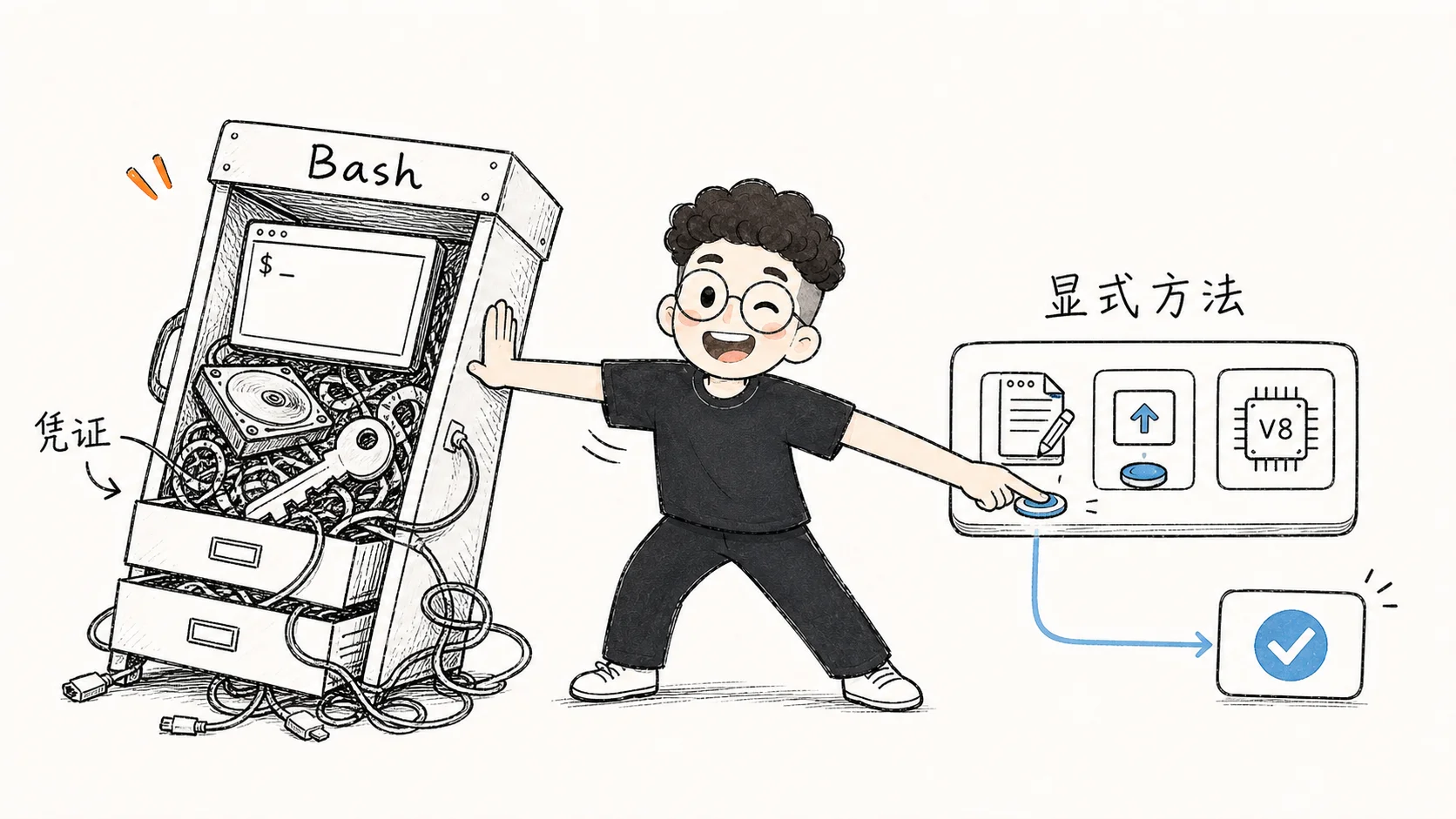
The new architecture consolidates common capabilities into explicit methods. Reading and writing files has dedicated tools, deployment goes through deploy_project, generated JavaScript runs in ephemeral V8 isolates, and credentials stay outside the sandbox. Only tasks that genuinely depend on Linux—like building a frontend or running a Python notebook—spin up a temporary container and shut it down right after.
The team also noticed that with fewer tools, smaller models completed tasks more reliably. The reason isn’t mysterious: facing a whole Linux box, the model had to decide commands, flags, directories, and credentials on its own. Now it only chooses from a small set of business methods. The product knowledge it used to figure out from scratch on every run is now baked into the tools.
This doesn’t mean coding agents should lose their shell. Facing an unfamiliar codebase and open-ended tasks, the shell is still the most versatile tool available. Vertical apps are the opposite: what the product lets users do is a finite set to begin with. Making an agent rely on Bash there usually means using the model’s improvisation to cover for missing product interfaces.
Start by Refactoring One Action
If you actually want to make an existing app agent-first, you don’t need to build a chat UI first, and you don’t need to rewrite every API at once.
Pick one frequent action that mutates business state, like “mark issue as resolved.” Trace down from the existing button until you find the code that actually writes the state, then consolidate four things into a single entry point: the minimum required parameters, who is authorized to run it, what it returns on failure, and whether repeated calls trigger a second side effect.
Next, point both the UI and the agent exclusively to that entry point, and add a set of contract tests: whether a request comes from a button or a tool call, the same input should produce the same state and audit log. Later, when you integrate Slack or MCP, you only add a thin parameter-mapping layer instead of duplicating business rules.
After camelAI dismantled its VMs, users could still have the agent read files, edit projects, and deploy apps. What got deleted was an expensive, hard-to-govern general-purpose bypass; what remained were the capabilities the product actually stands behind.
Next time you’re ready to add an agent to your app, hold off on drawing a chatbox. Open up an existing button and check whether the action behind it can be called directly and safely by an agent.
If the UI and the agent take two different execution paths, all you’ve built is a bypass that can chat.
Copyright
- Author
- XingKaiXin
- Title
- Adding a Chatbox to Your App Doesn't Make It Agent-First
- Published
- 2026年8月10日
Licensed under CC BY-NC-ND 4.0 DEED.