

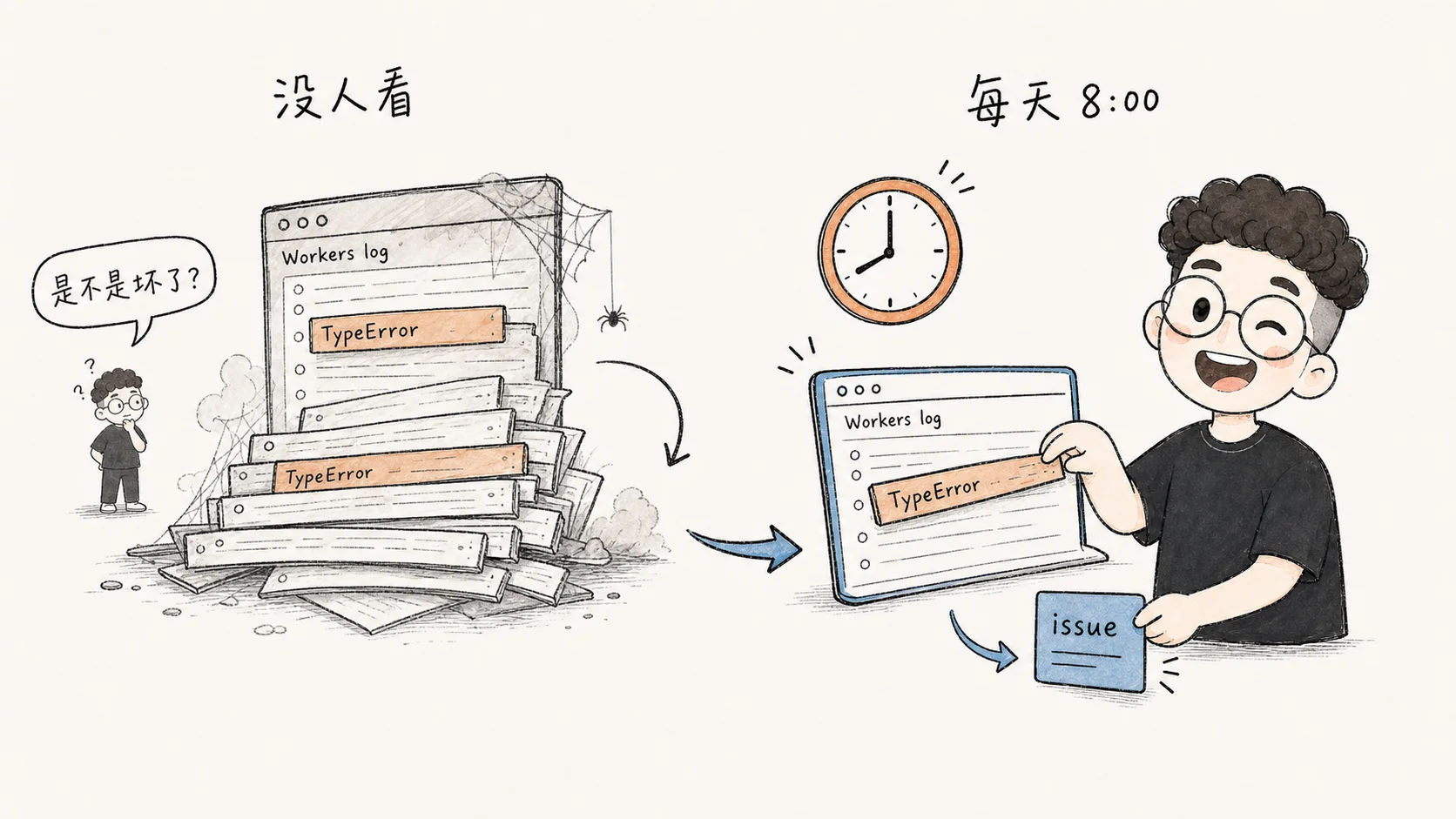
I have a small app deployed on Cloudflare. On launch day, I stared at the dashboard for half an hour, and I never opened it again.
Problems kept happening, only users were the ones finding them for me. A feature would stay broken for three days until someone asked, “Is this down?” The logs recorded everything clearly—nobody was just looking at them. For a side project, I know myself well enough to admit I won’t stick to the operational discipline of checking logs every day.
So I set up an Agent that wakes up on its own every morning. It doesn’t touch the code; it just handles the first pass of the patrol.
What It Checks Every Day
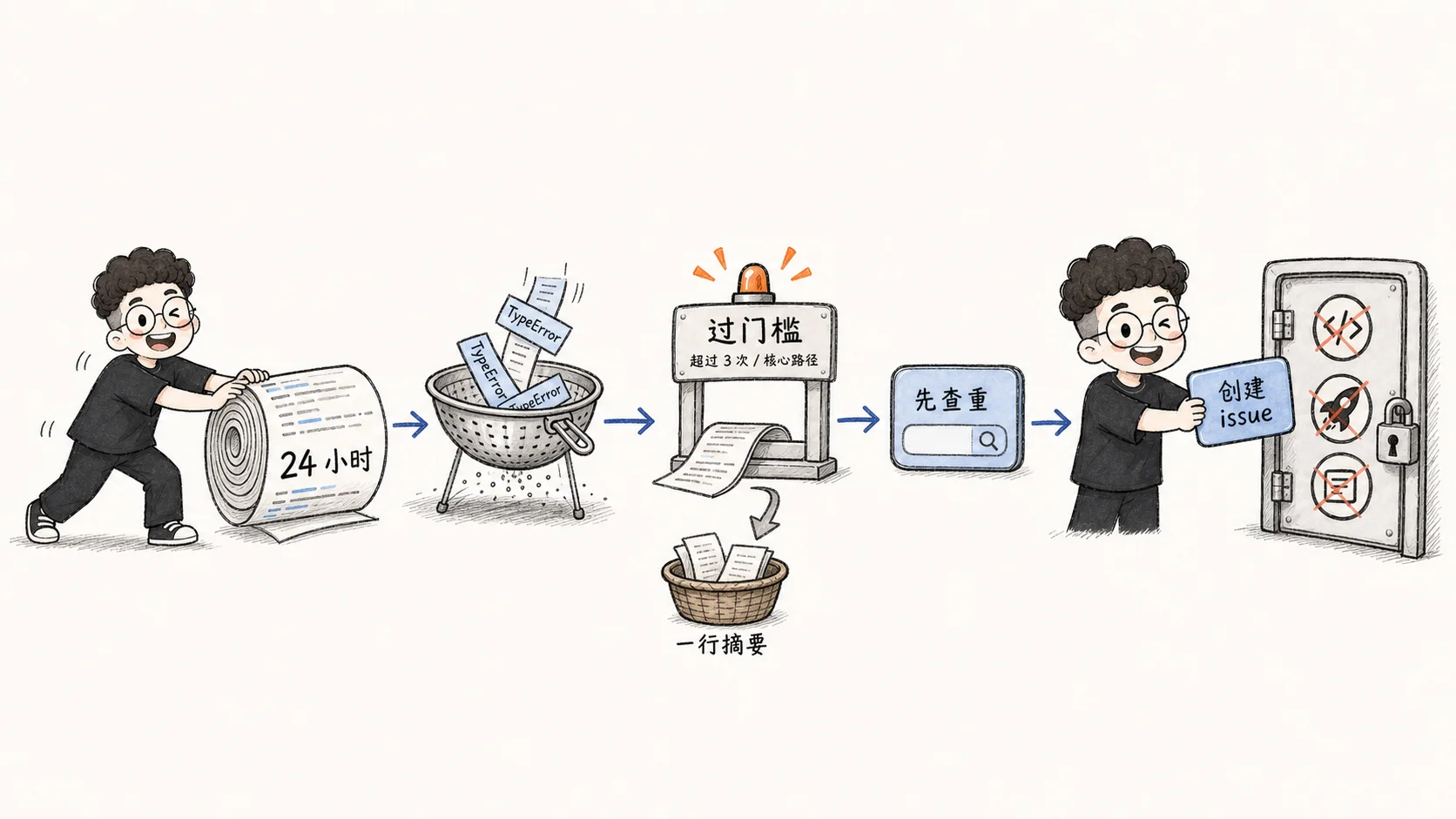
At 8:00 AM every day, the Agent queries the past 24 hours of Workers logs and request data. I use the Cloudflare Workers Observability telemetry query API instead of having it simulate clicks in the dashboard.
First, it looks for newly appearing error signatures, changes in 5xx volume, and endpoints that have slowed down noticeably, then compares the results against the previous day and the past week. Zero traffic in the middle of the night is normal for a small app; alerting on raw thresholds alone would just raise a bot that pesters you every day.
Next, it decides whether to open an issue. I wrote strict rules for this: only proceed if the same new error appears more than three times or affects a core path, and search existing issues first to make sure it isn’t a duplicate.
Finally, it reports back. If something is wrong, it runs gh issue create with the time range, log snippets, affected paths, and a preliminary diagnosis. If everything looks fine, it leaves a single line: “Past 24 hours: xx requests, no new error signatures.”
Once, it caught a new TypeError on an endpoint that had started at 2:00 PM. The log snippets were already organized, and the preliminary diagnosis pointed to a PR merged the day before. It took me one minute to read and ten minutes to fix. Had I waited for a user to report it, that first minute would have been spent writing an apology.
Why Log Patrols Fit a Loop
In June, a lot of people were sharing Boris Cherny’s line: “I don’t prompt Claude anymore, my job is writing loops.” The hard part isn’t actually getting a scheduled job to run—it’s deciding whether a task belongs in a loop in the first place.
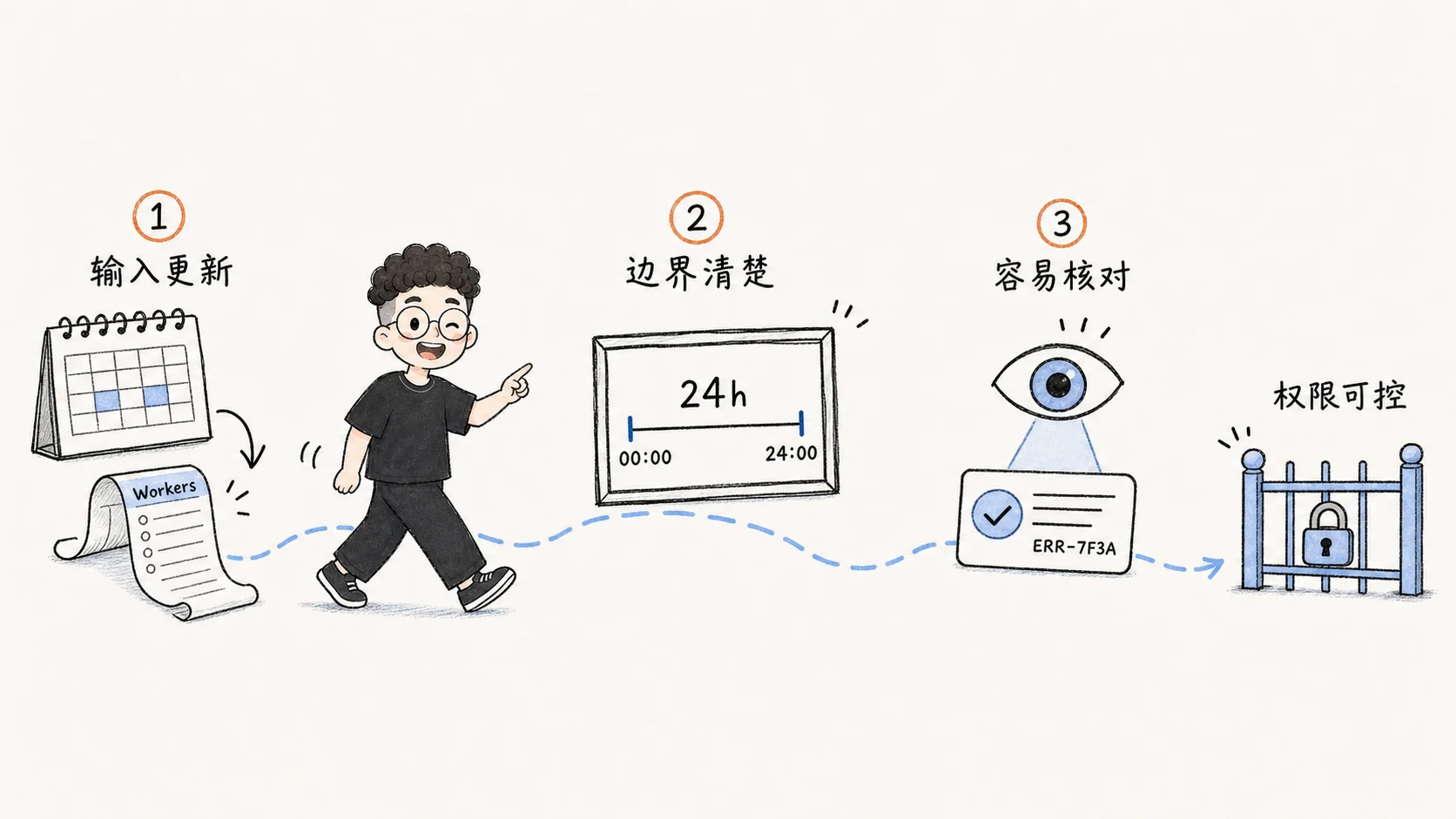
A patrol’s inputs update every day, and the Agent knows right where to fetch them when it wakes up. Each run covers a fixed 24-hour window, so the stopping point is clear too. More importantly, the output is cheap to verify: whether an error signature is real, whether an issue is a duplicate, or whether the time range is off—I can tell at a glance.
This isn’t a fully autonomous closed loop yet. The Agent can only read logs, gather evidence, and create issues. It cannot edit code, deploy, or close issues. Its preliminary diagnosis is just a lead; whether to act on it and how is still up to me.
That boundary matters. Just because a task is repetitive doesn’t mean it should be fully automated. It only makes sense to run unattended every day when the results are easy to check and permissions are restricted to low-risk actions.
A Rule Set You Can Adapt Directly
Condensed, my patrol instructions look roughly like this:
Check the past 24 hours of Workers logs and request data:

1. Compare against the previous day and past week to find new error signatures, 5xx changes, and latency anomalies.
2. Only proceed to the issue workflow if the same new error occurs more than 3 times or affects a core path.
3. Search existing issues before creating a new one; if a duplicate exists, append evidence instead of opening a new issue.
4. Every issue must include the time range, log snippets, affected paths, and a preliminary diagnosis.
5. If there are no anomalies, output only a one-line summary.

Allowed: reading logs and creating issues. Forbidden: modifying code, deploying, or closing issues.
The scheduler is actually the easiest part to swap out. Running a headless CLI via cron works, and so does a Codex Scheduled Task. What really takes tuning are the anomaly thresholds and permission boundaries: set the threshold too low and it creates daily noise; grant too much permission and a single false positive turns a patrol into an incident.
No news is only reassuring when someone actually checked. Now, that someone doesn’t have to be me.
Copyright
- Author
- XingKaiXin
- Title
- Never Checked the Logs After Deploy? I Have an Agent Patrol Cloudflare Daily
- Published
- 2026年7月16日
Licensed under CC BY-NC-ND 4.0 DEED.